

This post is part of a paid partnership I'm doing with Payhip. I am a real user and a real fan and this post is true to my experience. It also includes my affiliate link. If you use my link and set up your store there, I may get a small commission at no extra cost to you.
Last year, I moved my online shop from Gumroad to Payhip. I've been selling digital products for 6 years, first on my own site, then on Gumroad and now on Payhip.
Gumroad seemed like an easy place to sell but they kept raising their fees and slowing down their payouts. When I wanted to launch a new course last year, I realized I couldn't host it there because Gumroad has no hosting capabilities. That's when I started looking for alternatives.
Before we look at why I chose Payhip for my digital product shop, let me share more about why I left Gumroad.
Why I left Gumroad
High fees and slow payouts
Gumroad increased their fees to 10% plus 50 cents per transaction. That’s on top of Stripe’s fee so you’re paying roughly 14% on every sale. If your sales come from their marketplace, you’re paying a 30% fee. It may not seem like much when you’re just getting started but once you start processing a few thousand bucks, you’ll feel it. You begin paying a few hundred dollars in fees alone.
You also need a minimum balance of $100 to get a payout and then, All sales have a minimum 7-day holding period before you get paid. If you want payouts to be instant (which they should be), you have to pay an extra 3% fee so now you’re paying 17% just to get your money. The fee changes alone were enough to get me looking for an alternative to Gumroad.
No content hosting capabilities
You can’t host any of your content on Gumroad. I was getting ready to launch a new course on paid newsletters and I needed a platform where that content could live. With Gumroad, you can just share a link or upload a file. You have to find another place to put all the course content which sort of defeats the purpose of selling a course there because you need two platforms to make it work.
Once I realized I needed to make a switch away from Gumroad, I started looking around for digital product store solutions. That’s when I remembered my friend LaShonda Brown mentioning Payhip.
Top reasons why I chose Payhip
The top reasons I chose Payhip were flexible pricing, robust marketing tools, and easy mailing list integration.
Lower fees and faster payouts
Payhip costs nothing up front so if you’re just getting started, you can set up your store for free, which is what I did. You’ll pay 5% on each sale plus your payment processor fees. Much less than Gumroad. I love that once you start selling more, you have the option to pay a subscription fee and remove the transaction fee. Once you’re selling more than $600/month, it makes sense to pay a platform fee and a lower transaction fee.
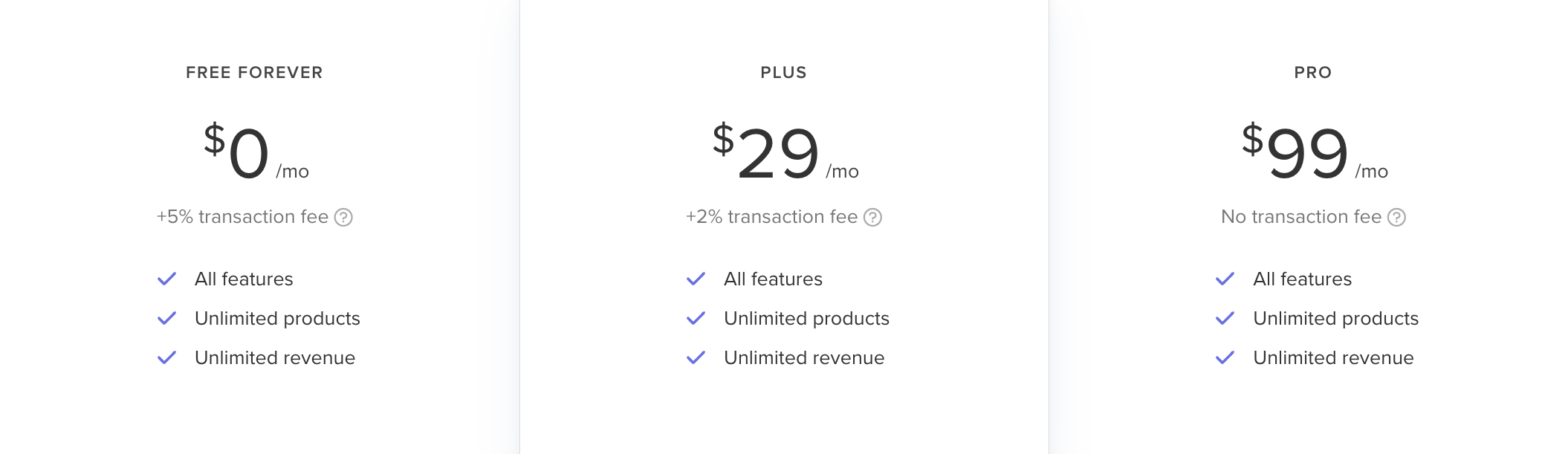
Payhip’s payouts are instant by default with no extra charges or waiting periods. You get paid as soon as the transaction is processed. There’s no additional fees if your sales come from their marketplace. That feature is free on Payhip.
Better marketing tools
I’m a marketer so having good marketing tools for my shop was important to me. I loved that Payhip has a built-in affiliate program. I’ve been able to promote the affiliate program to my audience and I have several folks signed up with their own unique links to promote my products. I can control how much commission they get and which products they can sell. Check out my affiliate page here.
I also love the cross sell and upsell features. I know these work from my many years in e-commerce and I have them enabled. With Payhip, you can set up your store so that when someone adds a product to their cart, they get a promotion deal for another product. You can control whether it happens in the cart (a cross sell) or post-purchase (an upgrade offer.) You choose which products get upsold too.
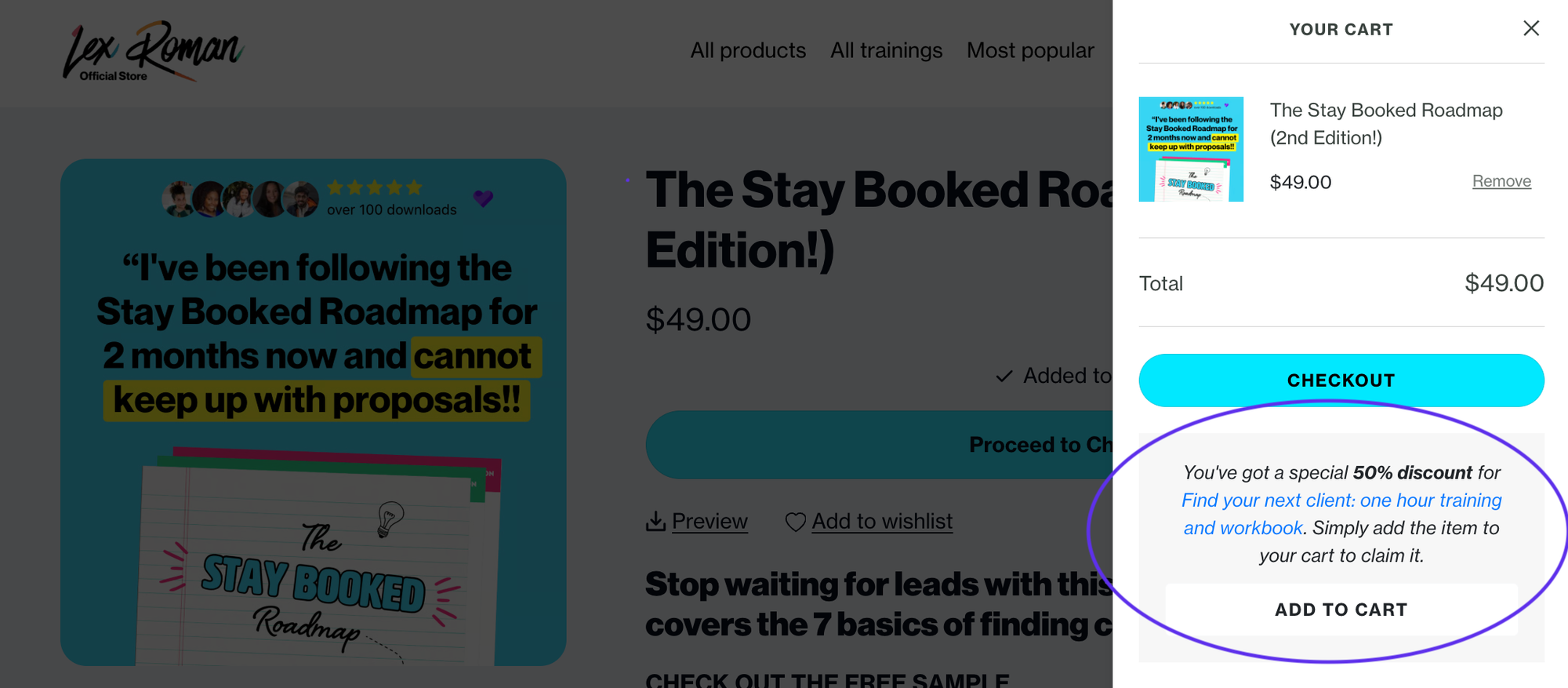
You’ve also got coupons and sale features which I use frequently to run different promotions.
Easy mailing list sync
It’s super important to me that everyone who buys from my shop gets on my mailing list. That way, they can become a real part of my audience and hopefully a repeat customer. Payhip integrates with your email service provider (for me that’s Email Octopus) and they can pass customers through onto specific segments.
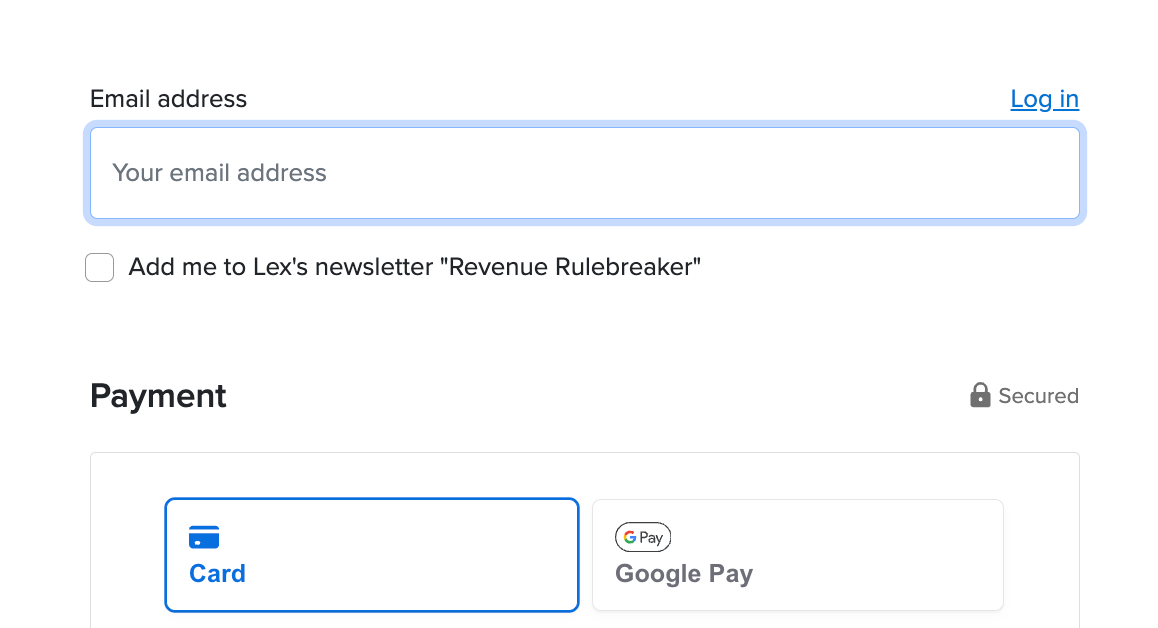
You have all kinds of control over this, like whether they see a GDPR notice, whether they get a choice to subscribe and which list they go onto. Incredibly useful feature if you like to send a follow up sequence for specific products. They integrate with over 14 email tools and you can also use Zapier if your tool isn’t available.
Your store is your own in Payhip
Another thing I love about Payhip is that your store is fully your branding. You get to decide everything from the domain to the layout of the products to the color scheme.
You get access to a store builder when you sign up and you don’t have to spend a lot of time designing it, but there’s a couple quick settings I find really useful.
Product collections let you group your products by theme. I’ve got “Most popular” “Find clients” “Free downloads” and a few others.
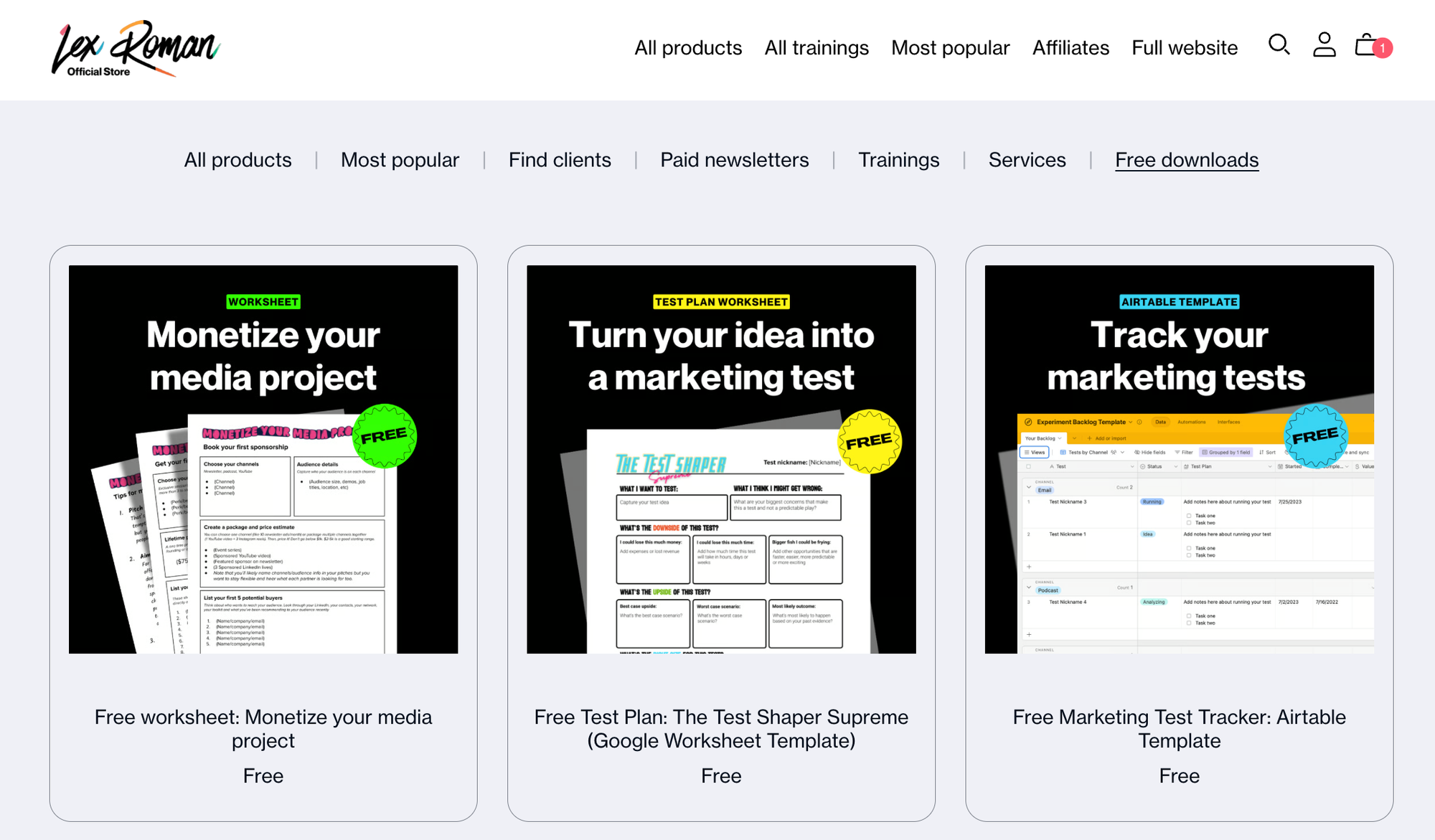
You can custom order your products if you want to put your best sellers towards the top, which I recommend.
You can even create custom pages. I used this to make a page for my affiliates which links back to the Payhip affiliate program.
You’ve got full customization of your checkout settings too. You can adjust your logo, add banners, change colors and ask custom questions during checkout. You can also redirect buyers to a custom page post-purchase. The Payhip team said they’ve seen increased conversion rates on seller’s stores after launching customizable checkout so these are worth looking at.
You can control everything about taxes and shipping. Payhip will automatically handle EU and UK VAT taxes for you if you want, but you can toggle that setting off if you handle them yourself.
Most of all, I love that Payhip is such a simple start—it’s shallow by default, and deep by choice. It’s easy to set up and I find their tool so easy to navigate but you have full control over every setting.
What can you sell with Payhip
I mentioned that I found Payhip because I was about to launch my course. But what else can you sell there?
Courses
You can set up your course inside Payhip with interactive modules. You can add videos, quizzes, assignments, embeds, text and really anything you’d need to display your course.
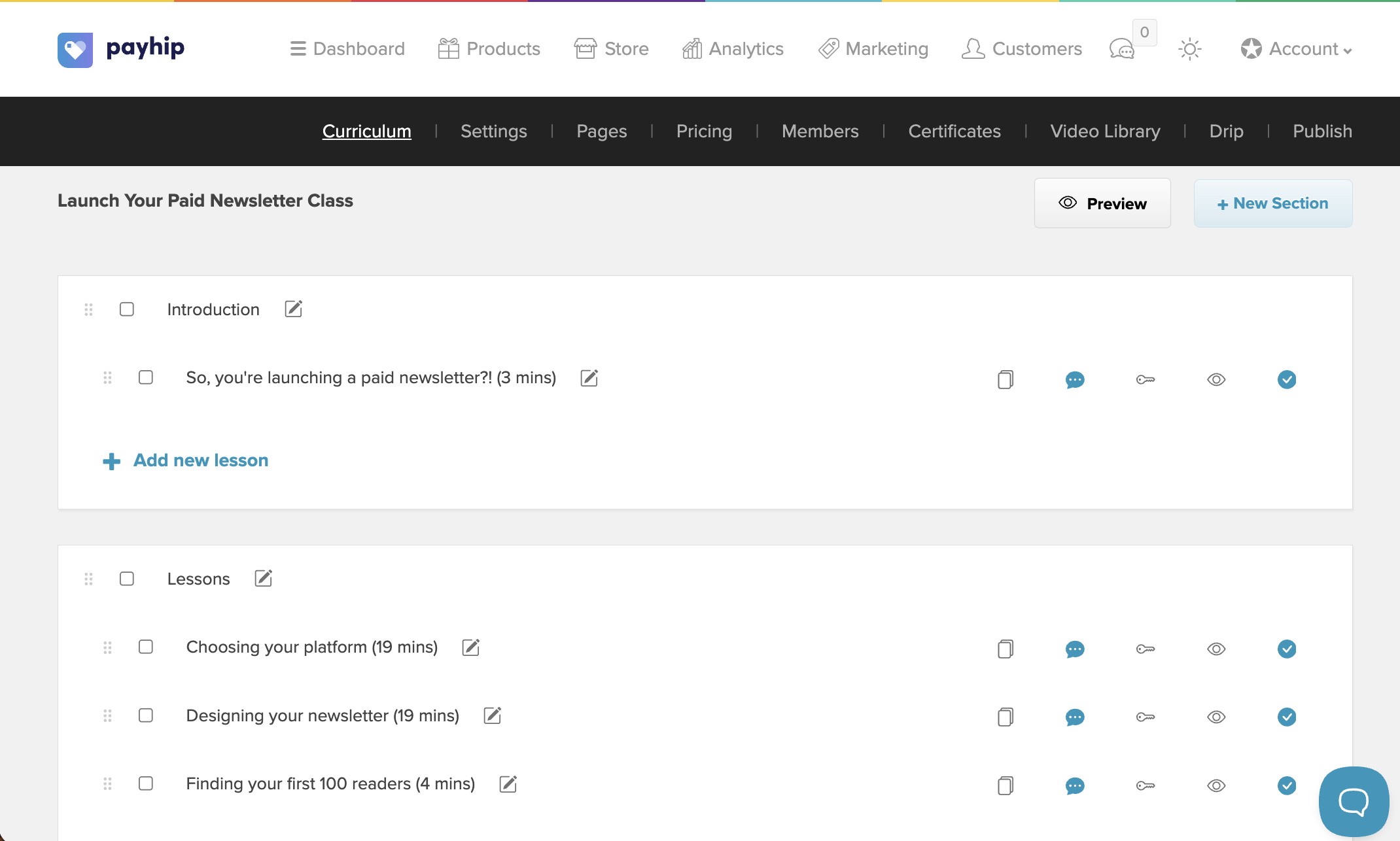
You can drop all the content at once or drip it out based on enrollment date or a specific date you choose. Students complete the modules and you even have the option to give them a little certificate of completion.
One cool feature of course set up on Payhip is that you have options for how you price your course. You can charge a one time fee, recurring subscription or offer payment plans to your students.
Payhip will also host your videos for you which is a huge bonus because they stay private and you don’t have to mess with unlisted links on YouTube. This is an extra $5/month cost which is worth it if you sell at least one course a month. You decide if students can download these or just stream them online.
You can also collect testimonials on your course (or any product.)
Digital products
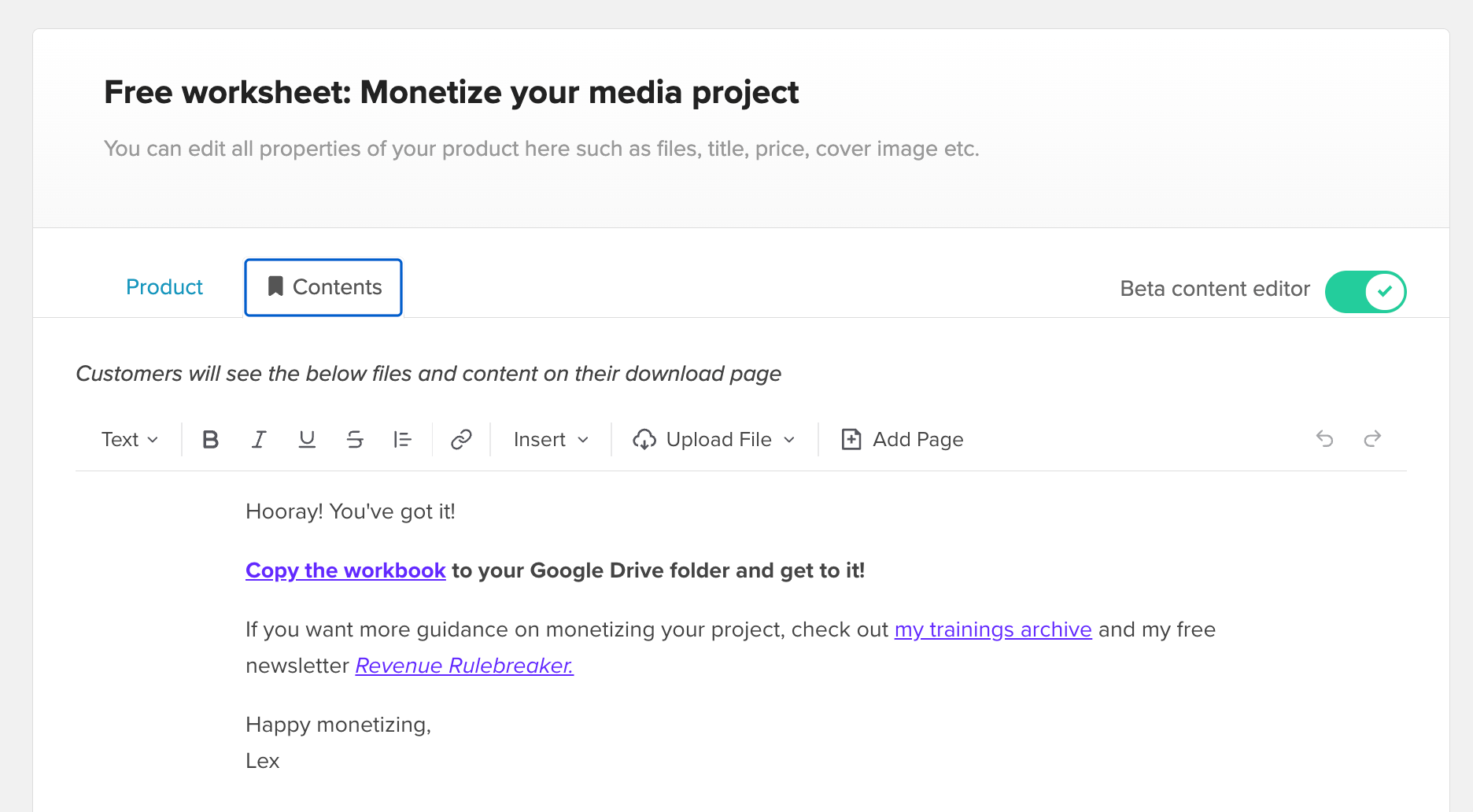
Digital products are the bread and butter of Payhip. You can sell templates, downloads, ebooks, and anything you create online. They just recently updated the editor so you can either upload the file or link your customer to the product (like if it’s a Notion template and there’s nothing to download.)
Physical products
Payhip lets you sell physical products too. If you sell merch or stickers or any type of physical good and you want to do your own fulfillment, they will calculate shipping cost for you and help you manage your inventory. This is a great option if you sell just a couple physical goods and don’t want a whole separate store from your digital products.
Memberships
You can create memberships on Payhip. This is kind of similar to their course feature except it’s a recurring subscription where you plan to continuously add content. Think of it like Patreon but on your own website with all your own branding.
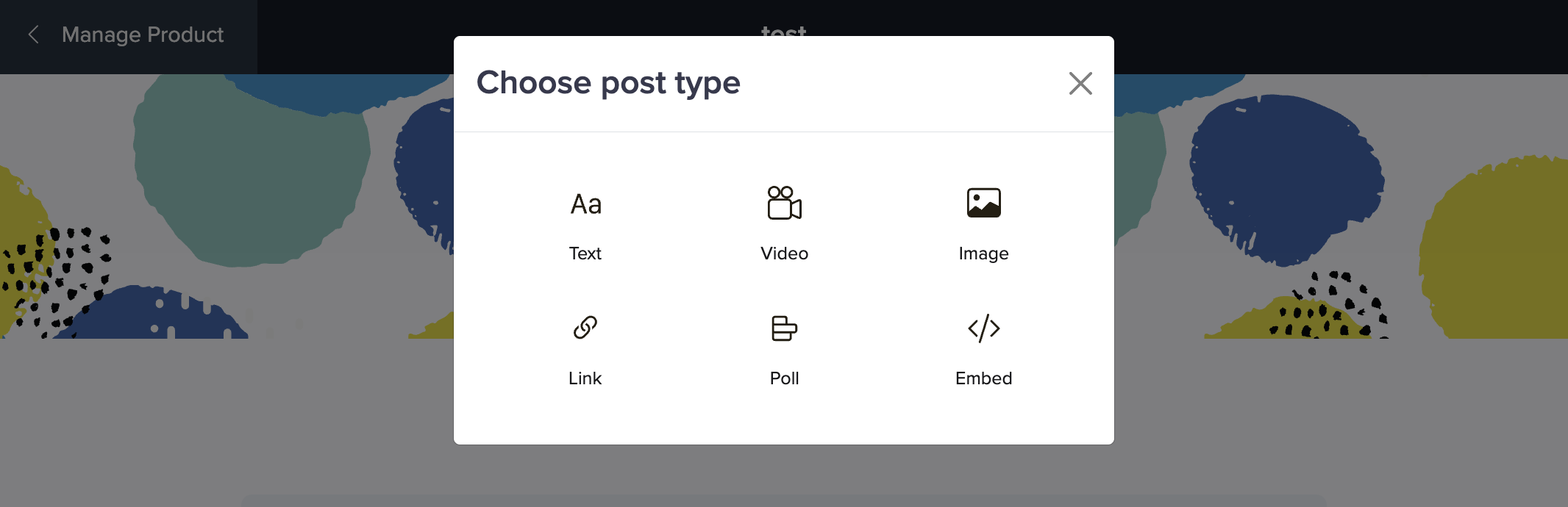
You can create a paywalled area where people pay for access to posts, videos, quizzes and downloads. It’s a simple solution if you need people to have access to paywalled content and you don’t need much else. Just like with courses, you can create different pricing tiers and control which content different membership tiers get access to.
Coaching
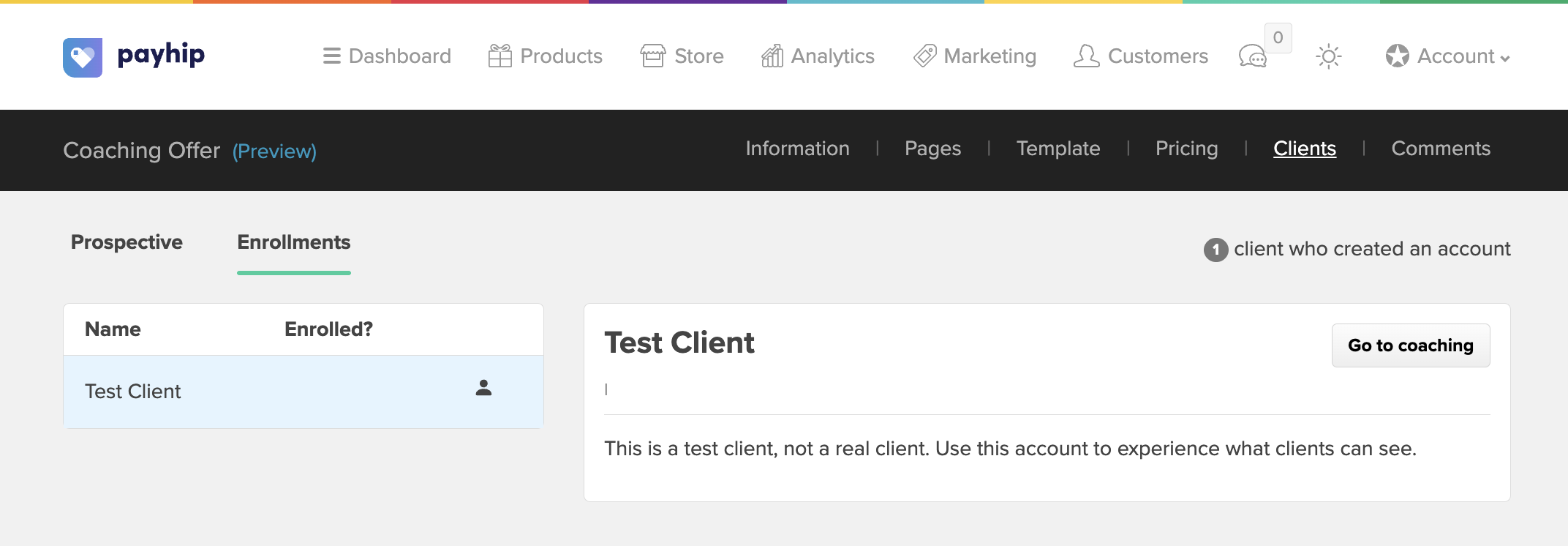
Payhip can be your coaching backend. You can create client intake forms, coaching programs and create a portal for each coaching client where they can track progress and materials. Payhip integrates with Calendly and Zoom for managing your sessions too.
Bundles
You can bundle products in your shop and sell them together which is really useful once you have 6 or 7 products available. I have an everything bundle I give to my paid subscribers and it makes it easy for them to grab all the products at once.
Payhip is for independents like us
Payhip had all the digital shop features I needed to make the switch but more than that, I love their ethos as a company. They exist to help independent creators make a living and they set a goal to help 1,000 creators reach $1,000,000 in sales.
Payhip is bootstrapped—meaning they don’t have outside investors–and profitable which is great for us because it means they’re going to stick around and they’re not under pressure to build stuff no one wants. They’re a small, international team based across the UK, Canada and a few other countries. And their support team is super responsive and helpful.
I’ve quickly become such a fan that I’m even selling my services on Payhip and now I’m collaborating with them to share more about their tool with you. If you’re looking for a home for your digital products, have a look at Payhip. I think you’ll find they have everything you need to start selling in one easy to start package.
Sign up for your free account with Payhip and post a link to your new shop in the comments!


